Which Gaming Laptop Fits You — by Budget Tier and Reliability Risk
Gaming laptops don't sort into one ranking — the right pick depends on your budget tier and how much thermal and reliability risk you'll accept. This guide segments the leading options from owner discussion, not benchmark charts. The pattern that matters most: performance-per-dollar and reliability pull against each other, so the cheapest strong-spec machine often carries the most failure reports. It covers mid-range all-rounders, premium power, budget picks and reliability risk; it does not rank laptops by raw benchmark numbers.
Which Product Fits Which Buyer

The best all-round mid-range pick. Owners praise performance, build quality and well-managed temps, with a bright high-refresh screen. The main complaints are occasional overheating during gaming and minor build niggles.

The premium-power pick. Owners praise CPU performance and call it the best laptop they've owned, with easy warranty service. The catch is reliability at the high end — bricking and component-failure reports with costly repair quotes.
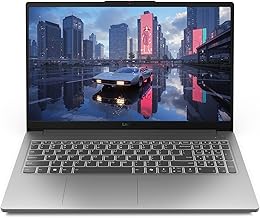
The budget Lenovo pick. Owners are thrilled with the specs for the price (e.g. an RTX 5060 / 32GB build around $770), with good battery and screen. Performance can throttle and there are crash and ghosting reports.
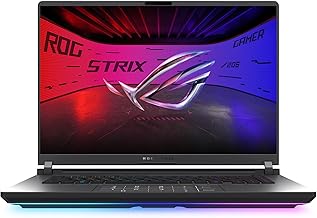
The max performance-per-dollar pick — owners call the specs great for the price and rate it for gaming. But it carries the heaviest reliability load here: overheating with performance drops, random crashes, and dead-after-repair reports.
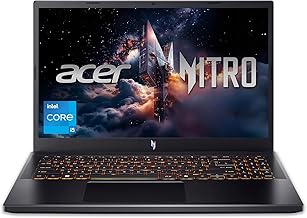
The cheapest entry. Genuine budget value on a healthy unit, with one owner reporting two trouble-free years, but a recurring stream of fan noise, overheating and reliability complaints.
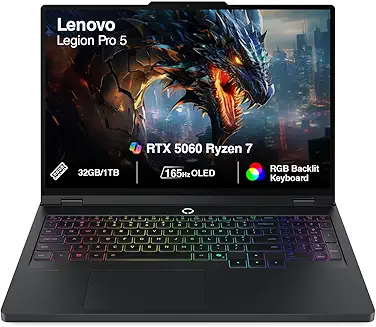
A cooling-praised mid-range option on healthy units — owners rate its thermals and build above Acer — but the weight of feedback is cautionary, with overheating and a recurring pattern of hardware failures.
How to choose: budget tier, then risk tolerance
Two questions decide your pick:
- What's your budget tier? Mid-range all-rounder, premium power, or tightest budget.
- How much reliability risk will you accept? The cheapest strong-spec machines tend to carry the most failure reports, so performance-per-dollar and dependability pull against each other.
Whatever you choose, buy from a retailer with solid return and warranty coverage — it comes up repeatedly as the difference between a fixable problem and an expensive one.
Best balanced mid-range: Lenovo Legion 5
For a well-rounded mid-range machine, owners point to the Legion 5. It's the most positively received here — praise for performance, build quality and well-managed temps, plus a bright high-refresh screen.
What you give up: some owners still see CPU overheating during demanding gaming, plus minor build niggles. It's not the absolute cheapest, but it's the safest all-rounder.
Choose this if:
You want a balanced, dependable mid-range gaming laptop without chasing the bleeding edge.
Premium power: Lenovo Legion Pro 7
When you want top performance, owners rate the Legion Pro 7 highly — strong CPU performance, and some call it the best laptop they've owned, with easy warranty service.
What you give up: reliability at the high end is the worry. Owners report bricking and GPU or component failures with costly repair quotes, so the warranty support matters here.
Choose this if:
You want premium performance and will register for and lean on warranty coverage.
Budget: Lenovo LOQ vs Acer Nitro V15
On a tight budget, the choice is mostly LOQ versus Nitro V15. The Lenovo LOQ wins on value-with-stability — owners are thrilled with the specs for the price and report good battery and screen, with throttling and the odd crash the main caveats. The Acer Nitro V15 is cheaper and genuinely good on a healthy unit, but carries more fan-noise, overheating and reliability complaints — more of a unit lottery.
Choose the LOQ if:
You want the safer budget bet with strong specs.
Choose the Nitro V15 if:
You need the lowest price and buy with strong return/warranty coverage.
Most performance per dollar (with risk): ROG Strix G16
If raw gaming performance per dollar is the goal, owners call the ROG Strix G16's specs great for the price and rate it for gaming. But it carries the heaviest reliability load in this group — overheating with performance drops, random crashes, and dead-after-repair reports.
What you give up: peace of mind. This is the pick for buyers who want maximum spec for the money and accept that the risk is real.
Choose this if:
You prioritize performance-per-dollar and can tolerate a higher chance of issues.
Reliability: the axis that cuts across all of them
Thermals and reliability vary sharply by model here, and it's worth weighing as much as raw specs.
- The Legion 5 and LOQ draw the most positive, stable feedback.
- The Legion Pro 7, Legion Pro 5, Nitro V15 and ROG Strix G16 all carry recurring overheating or hardware-failure reports.
- The Legion Pro 5 is cooling-praised on healthy units but cautionary overall.
Across every model, buying with strong warranty and return coverage is the single best protection — owners repeatedly say it's what turned a failure into a fix.
Quick decision guide
Pick the Lenovo Legion 5 if:
You want the best-balanced, dependable mid-range option.
Pick the Lenovo Legion Pro 7 if:
You want premium power and will use warranty support.
Pick the Lenovo LOQ if:
You want the safer budget bet with strong specs.
Pick the Acer Nitro V15 if:
You need the lowest price and have good return coverage.
Pick the ROG Strix G16 if:
Performance-per-dollar leads and you accept the reliability risk.
Consider the Legion Pro 5 if:
You value cooling and build and buy with warranty.
Decide your budget tier first, then how much reliability risk you'll accept — that's the order that fits the machine to the buyer.
Evidence Highlights
Performance is the dominant praise theme, with build quality and well-managed temps.
Owners thrilled with strong specs for the price (e.g. ~$770 builds), with good battery and screen.
Great specs for the price, undercut by overheating, crashes and dead-after-repair reports.
Strong CPU performance praised, but bricking and component-failure reports temper it.
Check current prices
This guide is built from audited buyer discussion evidence — no paid placements, no sponsored rankings. Product inclusion and ranking are determined by evidence volume, sentiment balance, and recurring themes. Read our methodology →