Acer Nitro V15 Recurring Complaints: Heat, Fan Noise and the Reliability Debate
Prospective Acer Nitro V15 buyers keep asking a blunt question in their own threads: is it really that bad? This guide answers it from owner discussion rather than benchmarks, mapping the complaints that recur most across the Nitro V 15 line and weighing them against the owners who report no trouble at all. The most consistent theme is heat and fan noise; reliability and GPU-power complaints appear too but less often. It does not test frame rates; it assesses what you are signing up for at this price.
Known Issues Before You Buy
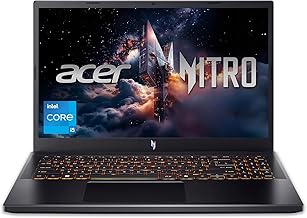
A budget gaming laptop with a polarizing reputation: the most recurring owner complaint is running hot and loud, while a vocal group of owners report no problems and defend the value.
The complaint that recurs most: it runs hot and loud
Across independent owners, the single most consistent complaint about the Nitro V15 is that it runs hot, loud, or both. This is the dominant recurring theme, and it shows up in several distinct forms:
- Overheating under load even after maintenance. One owner reported the laptop overheats after a repaste and cleaning; another found the bundled Nitro V app itself causes overheating, pushing temps from the mid-40s into the 70-80C range just by opening it.
- Fans running loud from the start. One owner reported fans at full throttle from startup; others describe the GPU fans rattling and vibrating (with high GPU temps as a result) and a fan vent that rattles audibly.
The pattern is clear enough to plan around: expect a machine that prioritizes cooling headroom over quiet operation, and expect to spend time in fan and power settings. Some of the overheating reports point at software (the Nitro app) rather than raw cooling, which is a fixable cause worth checking first.
GPU that won't hit its rated power
A more specific, repeated complaint concerns GPU power delivery. More than one owner reports the graphics card not reaching its full rated wattage under load. One documented an RTX 5050 that would not hit 75W maximum graphics power despite Dynamic Boost, and another traced a general GPU problem after a shutdown-and-restart episode.
This matters because the GPU wattage (TGP) is a big part of why a gaming laptop performs the way its spec sheet suggests. If you buy, verify the card reaches its rated power in your workload early, while you can still return it. Owner discussion treats this as a real, if less frequent, issue than heat.
Reliability, hinges and the stock screen
Beyond heat, a lower-frequency reliability tail appears. Reports include a unit that stopped working after about 2.5 years, a motherboard/Wi-Fi fault that recurred after a warranty repair, and hardware trouble following a shutdown. These are not the dominant theme, but they are the kind of failure a warranty exists to cover.
Two build-related complaints also repeat at a low level:
- Hinge and chassis concerns. One owner noticed the lid drops down slightly as a hinge issue; another reported screen scratches after a few months.
- The stock display. More than one owner treats the factory panel as the weak point. One found the stock screen worth upgrading for its low color gamut, replacing the panel for around GBP 50.
None of these is universal, but together they say: inspect the hinge and screen on arrival, and factor a possible panel upgrade into the budget if color matters to you.
The other side: owners who say it's fine
The Nitro V15's reputation is genuinely contested, and the defenders are as specific as the critics. Several owners report no trouble at all.
- One owner posted directly that "the Nitro V15 is not as bad as everyone says" after two years with no problems.
- Others report the laptop performed exceptionally well, that they are very pleased with it, and that it runs games smoothly.
- On build, one cross-shopper argued the Nitro has better build quality than the HP Victus in the same bracket.
One nuance is worth surfacing, though it comes from a single owner: a happy buyer with a Ryzen 5 7535HS / RTX 4050 unit wondered aloud whether the problems concentrate on the Intel variants. That is one buyer's hypothesis, not a proven pattern, but if you are choosing a configuration it is a reasonable thing to weigh.
So, is it really that bad? A risk read
The honest answer from owner discussion is: it is divided, and the split is predictable.
You'll likely be fine if:
- You are a budget buyer optimizing for gaming performance per dollar and accept that it will run warm and loud under load.
- You will spend a little time on fan and power profiles, check the Nitro app isn't the cause of your heat, and verify GPU wattage early.
- You buy new with warranty coverage so an early hardware fault is a swap.
Proceed carefully if:
- You buy used or from a marketplace with no warranty, given the reliability tail on hinges, motherboards and long-term failures.
- Color-accurate screen work matters to you, since the stock panel is a repeated weak point.
Look elsewhere if:
- Quiet operation and cool, hands-off running are priorities you would pay extra for. The Nitro V15's core tradeoff is cooling and price over silence and polish.
The recurring complaint (heat and noise) is real and consistent, but a lot of owners consider it an acceptable price for the performance. Judge it as a value machine you will manage, not a premium one that manages itself.
Evidence Highlights
The dominant recurring complaint: overheating (sometimes after a repaste, sometimes caused by the Nitro app) plus fans running full-throttle or rattling.
Owners report the GPU not hitting its rated power (e.g. an RTX 5050 stuck below 75W), capping performance.
Lower-frequency reports of unit failures, a recurring motherboard/Wi-Fi fault, hinge play and a weak factory panel.
A vocal group reports no problems over years of use and argues it is 'not as bad as everyone says.'
Check current prices
This guide is built from audited buyer discussion evidence — no paid placements, no sponsored rankings. Product inclusion and ranking are determined by evidence volume, sentiment balance, and recurring themes. Read our methodology →