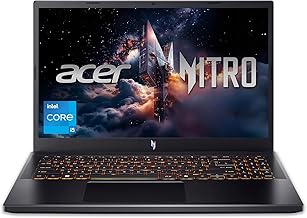
Check cPU fan stuck at 0 rpm before buying Acer Nitro 5, especially if it affects your daily use case.
Complaint HDMI port stopped working after a year 2026-09-01
Acer nitro 515-44 HDMI won't work It hasn't worked for almost a year now. I never used the hdmi that much because i use wireless screen share. But right now my lcd is glitching and i will most likely need to replace it. I am now thinking of using this as a home laptop and i would just have to buy an external monitor since replacement LED is a bit expensive i will opt to use the external. I'm just going to buy an adapter like USB to HDMI, But i am thinking what if the problem is not about the ports but something
Complaint Fans spin to 4,500 RPM even at light load 2026-09-01
Acer Nitro 5 AN515-54 - High Fan Speed and SSD Health Issue Hello, I have an Acer Nitro 5 AN515-54, and I'm having a problem with very high fan speeds even during very light usage. My current BIOS version is Insyde Corp. v1.33 (17/11/2020), and I'm running Windows 10 Pro 22H2 (OS Build 19045.3448) with UEFI mode. The main problem is that both fans sometimes run at around 4,000-4,800 RPM, even when the laptop is not under heavy load. For example, the CPU fan can reach around 4,200-4,500 RPM and the GPU fan around 4
Complaint Two-minute black screen at boot and dGPU-only mode fails 2026-08-23
Acer Nitro 5 AN515-58: 2-Minute Black Screen Before Acer Logo + dGPU-Only Mode No Longer Works **TL;DR:** My Acer Nitro 5 AN515-58 stays completely black for \~2 minutes **before the Acer logo appears**, then boots into Windows and works perfectly normally. The only major issue is that **dGPU/NVIDIA GPU-only mode no longer works**. Looking for people who have experienced this specifically and whether BIOS/EC recovery or BIOS reprogramming fixed it. **Please don't suggest basic CMOS reset, power reset, battery drai
Complaint CPU pegs at 99% and games stutter 2026-08-23
I currently have a Acer Nitro 5 year 2019. I'm running GTA 5 and FiveM and the CPU is running at 99 which is not good cause now the game stutters very bad and I'm literally always trying to fix texture during the whole game. And we all know the servers are heavy but it should be able to handle it. Someone told me I have to reprogram the whole laptop and others say check for repaste and thorough cleaning. Any idea or suggestions what I should do? A guy even told me get an upgrade to my hard drive. Acer Nitro 5 y
Complaint Charging cuts out intermittently after four years 2026-08-23
Acer nitro 5 won't continue charging? I have an Acer Nitro AN515-57 and have had it for almost 4 years. Over the last week or so, I've had issues when it charges, especially (but not exclusively) when I'm playing games or editing videos. I plug in my laptop, and everything is fine until suddenly it stops charging. Or it will stop and start and stop and start, and the battery light will flash over and over. Sometimes, both the power and battery indicator lights will flash at the same time. Initially, I thought
Complaint CPU fan stuck at 0 rpm 2026-06-15
Acer nitro AN515-58 nitrosense fan problem I'm new to this community, and not really that great when it comes to tech, but i would like to ask. If my cpu fan has 0rpm as seen in the picture should i not use my laptop, even for stuff like watching youtube, and other light stuff. Honestly I don't even know if the cpu fan is really at 0 rpm, cuz when I played a heavy game with heavy graphics (genshin, hsr, zzz) my temp reached 90C which was normally what i get when playing even when the cpu fan was not broken. Then r
Complaint freezes after gaming 2026-06-11
Acer Nitro 5 (RTX 3050) freezes after 10 minutes of gaming - technician says GPU reballing, do you agree? Hi everyone, I'm looking for advice regarding an issue with my gaming laptop. Laptop: Acer Nitro 5 AN515-57 Specs: CPU: Intel Core i7-11800H (11th Gen) GPU: NVIDIA GeForce RTX 3050 Laptop GPU (4GB) RAM: 16GB Storage: 512GB SSD Background: About a year ago, I used to play Valorant regularly on this laptop without any issues. Then I got a job and became busy, so I stopped gaming and uninstalled Valorant.
Complaint cannot use motherboards from Intel models or older AMD generations 2026-06-11
For the Acer Nitro 5 AN517-42, you cannot use motherboards from Intel models (like the AN517-55) or older AMD generations (like the AN517-41). The chassis, port alignments, and screw mounts are strictly proprietary. However, you can swap your dead board for any motherboard that belongs to another AN517-42 configuration, even if it has a different CPU or GPU than your current one. The compatible specs that fit your exact chassis are: AMD Ryzen 5 6600H + RTX 3050 / 3050 Ti AMD Ryzen 7 6800H + RTX 3060 AMD Ryzen 7
Complaint Need better fan 2026-06-07
Good Fan replacement and Thermal applicants Edit: I'm stupid, forgot to say my model: ***Acer Nitro 5 AN515-54-588T*** I wanted to know if anyone knows some good aftermarket fans, I've been using $20-$30 Amazon replacements for the last few years, swapped out twice, and already needing a third. But would like to really go in on something better designed and durable. I'll be replacing the keyboard, found a $20 on amazon, it should do nicely. And as for thermal paste, I can manage the CPU and GPU fine, it's the o
Complaint Thermal throttling issues 2026-06-05
AN515-58 BIOS V2.19 - all undervolt/power limit paths blocked, want to downgrade to V1.06, need help from someone who's done it Hey everyone, I have an Acer Nitro 5 AN515-58 with an Intel Core i5-12450H, 16GB DDR4, RTX 3050, running Windows 11 Home. My BIOS is currently Insyde Corp V2.19 (released 01-12-2025). **The problem:** CPU hits 92°C and stays locked there during gaming. GPU is fine at 67-80°C. No crashes or shutdowns, but clearly thermal throttling at the PROCHOT ceiling. **What I've already tried and c
Complaint Crashes during gaming 2026-05-31
My PC crashes ACER NITRO 5-rtx 4050 i5-13th I had this laptop well over 2 yrs now and I am pretty frequent with my servicing like cleaning , replacing thermal paste etc. So recently Whenever I try to play any games its open well and after two minutes the game crashes and the laptop hangs as if its under heavy load , any type of game like even chess . Please help ACER NITRO 5-rtx 4050 i5-13th ACER NITRO 5-rtx 4050 i5-13th
Complaint High temperatures during gaming 2026-05-24
Temperature problem with AN5 I have Acer Nitro 5 since 2022 and I have always had this problem. My laptop is refubrished and I have 3050ti and i7 11800H, 16GB RAM, 2x 256 GB SSD. Since the very beginning my GPU and CPU always worked under very high temperatures when doing anything even a little bit demanding. When for example playing games my CPU goes as high as 93°C and GPU maybe around 83°C. Whenever I'm playing newer games I'm experiencing very low fps, for example I started playing Rust recently and even w
Complaint Low RAM issues 2026-05-01
RAM Upgrade - ACER Nitro 5 AN517-41-R71C Good morning everyone, I have a ACER Nitro 5 AN517-41-R71C (Ryzen 5 5600H, RTX 3060, 8GB RAM) and I am having big issues with recent games due to low ram. I know that right now buying a car is cheaper than buying a stick of ram, but I was planning to upgrade it and I would like to hear your suggestions. What do you think is the best upgrade to do? Buying only one 8 GB stick to put in the current free slot, buying 16GB (8GBx2) or going all-in and buy 32 GB? Thanks
Complaint Laptop stops charging 2026-03-14
Charge problem Acer Nitro 5 AN515-58 I have an **Acer Nitro 5 AN515-58**, and I'm experiencing a problem where, when I plug the laptop into the power outlet, it makes a **beeping sound**. After a few seconds, it beeps again several times and then **stops charging**. I'm not sure how to fix this and would like to know if you have any suggestions. Acer Nitro 5 AN515-58 Acer Nitro 5 AN515-58
Complaint expensive repair 2026-03-04
Extreme price for repair or normal? Hey all, I took my Acer Nitro 5 (An515-58 model) to Geeksquad for repair a few days ago and they told me the charging port was broken in some way. The computer works perfectly with everything else, however WILL not charge under any circumstances, so they're most likely right. The thing thats given me pause is the repair agent quoted me 200, which I was fine with. Way cheaper than a new laptop. But checking in today, they're quoting me a little over 300 dollars for the repair.
Complaint Random reboots 2026-02-25
Acer Nitro 5 AN515-47 Random Reboots - Fails during Windows Install (25%) My laptop is experiencing constant random reboots. It is not a thermal issue (temperatures are verified as normal). The instability is so severe that, Windows Installation Fails: A standard Windows installation consistently reboots/crashes at exactly 25%. Workaround: I managed to fini