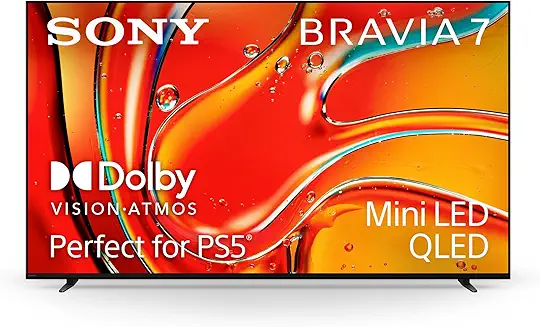
Sony Bravia 7 Review: Sony's Processing and Brightness Against Reflections Owners Call Mirror-Like
Quick take
The Bravia 7 splits owners along a single line: what it does with the picture, and what your room does to the screen. On processing there is real agreement — three sources rate Sony's handling and upscaling highly, one calling it the best in the business and another the best built-in software and processing especially for sports. On reflections, opinion is sharper. One owner with three OLEDs alongside it says the reflections are truly bad outside a light-controlled room, another simply calls it a mirror, and a third who upgraded from an older Sony finds it slightly better than what he had. This page has 8 visible evidence snippets, so treat it as an early buyer-feedback scan rather than a settled verdict.
Buying Verdict
Early signal
★★★★★★★★★★Buyer Signal Score 3.5 / 5
There is more agreement about this television than there first appears. All three sources that mention processing rate it — the best in the business according to one, the best built-in software and processing especially for sports according to another, and even the set's harshest critic here lists upscaling among its genuine benefits. That critic is worth reading closely, because they own a Bravia 7 alongside three OLEDs and their summary is precise: the benefits are brightness, upscaling and no chance of burn-in, the viewing angles are not great, and the reflections are truly bad unless the room is light-controlled. Their advice is to buy it only if more than 70% of your viewing is sports or SDR content, and otherwise take an LG C5. That lines up neatly with the owner who came from four years of LG OLED and found the Bravia 7 a clear step forward on colour and brightness while getting black levels about 90% of the way to OLED. On reflections specifically, do not assume the worst without checking your room: a third owner who moved from a Sony 9500G to an 85-inch Bravia 7 reports it actually reflects slightly less and blurs reflections slightly more than his old set, and he is happy. One further note — a 65-inch unit died outright, refunded under a Costco warranty with no replacement available, which is a single report but a total failure rather than a niggle. This page has 8 visible evidence snippets, so treat it as an early buyer-feedback scan rather than a settled verdict.
Based on 74 public discussion mentions and 8 evidence snippets • Last updated: 9/4/2026.
⏸ Vaulted — discussion interest around it looks fairly quiet right now.
Sony Bravia 7 is a mid-range mini-LED 4K TV with Sony's XR processor, Dolby Vision, and Google TV.
Sony's processing and brightness are what owners endorse most, and it avoids OLED's burn-in risk. Reflections and viewing angles are the hesitations, and how much they matter depends almost entirely on your room and seating. This page has 8 visible evidence snippets, so treat it as an early buyer-feedback scan rather than a settled verdict.
Evidence confidence: Early signal.
Product Signal Summary
These signals summarize buyer interest, feedback direction, discussion volume, and whether attention around Sony Bravia 7 appears to be rising, stable, or cooling. Based on 74 public discussions.
Sony's processing and why owners keep raising it for sports
Owners rate Sony's processing and upscaling highly, especially for sports, and report a clear brightness and colour advantage over OLED.
Reflections draw the most comment and two owners find them bad, with viewing angles and one outright panel failure also reported. •
Total evidence snippets: 8 • Updated Sep 4, 2026
Strengths
Processing is what owners buy it for
Brighter than OLED, with blacks most of the way there
One owner found reflections better than his old Sony
Common Complaints
Reflections divide owners, and two find them bad
Viewing angles are not a strength
One 65-inch panel died outright
Who Should Buy Sony Bravia 7 — and Who Should Avoid It
Best for buyers who want a TV for movies, sports, and gaming who care about near-OLED blacks with brighter color. Compare alternatives if panel died and had to be refunded under warranty would affect your daily use.
Best For
Sport is the bulk of your viewing, which is exactly where owners rate Sony's processing highest.
You want most of OLED's black performance with substantially more brightness and no burn-in worry.
Your room has controllable light, or you're replacing an older Sony and already live with its reflections.
Not For
Your viewing room is bright and you can't shade it — reflections are the most raised complaint here.
You watch mainly films in a dark room, where an owner with three OLEDs would point you to an LG C5.
Your seating spans a wide angle, given the viewing-angle complaint.
Check live pricing and availability — this link helps keep the research running.
These examples show the repeated buying signals behind Sony Bravia 7. Use them to check strengths, complaints, and buyer fit before treating isolated comments as full reviews. • Updated Sep 4, 2026
ProReflections: the argument owners genuinely disagree on
Sony Bravia 7 gets its strongest positive signal from near-OLED blacks with brighter color. The points below summarize why buyers keep it on their shortlist.
Likenear-OLED blacks with brighter color2026-06-17
I have the Bravia 7 I love my LG OLED when I had it for 4 years but the Bravia 7 beats it hands down. The black levels aren’t perfect like OLED, but honestly it’s 90% there. Also the colors and brightness are a huge upgrade. I can’t imagine how much better the new Bravia 9 will be. You won’t regret it!
Wall Mounting 85" Bravia 7 Just got our Bravia 7 85", quick setup and test playing some 4K YouTube and it looks amazing! For anyone wondering about reflections (seems to be a lot of talk about it), I'm coming from a 9500G (might be called 950G in other markets) and it's better - not by a huge margin, but it reflects slightly less and it blurs the reflections slightly more. I was never bothered by the older tv so I'm happy. Anyway, next step is wall mounting. Started going down the rabbit hole of spacing from the
From what I heard, the QM8L over saturates and brightens in HDR. I don't know how bad that looks in real life, since I haven't seen both to say is it really noticeable. I will say, that I heard that the Bravia 7 II is a really great TV and that Sony cooked with the RGB backlight. So I would probably lean more towards Sony over TCL. Sony also has a setting to where you can turn the backlight to pure white if you wanted. I can't remember off the top of my head why one would want to turn that feature on, but it's ki
Likebest inbuilt software and processing2026-03-28
There are good options but you’ll have to stretch your budget a little LG C5 - 1.2L - gets plenty bright but is pretty reflective as well. I have the same in 42” size and in a dark room it’s awesome Samsung QN90F Mini LED - 1.2L - a little too bright if anything but very punchy colours. It has great anti glare. You won’t have to worry about reflections at all Bravia 7 - 1.4L - pretty steep but imo the best inbuilt software and processing especially for sports. Could get it down to 1.2 with cashbacks and card d
ConBrightness, blacks and how it stacks up against an OLED
Check panel died and had to be refunded under warranty before buying Sony Bravia 7, especially if it affects your daily use case.
ComplaintPanel died and had to be refunded under warranty2026-08-23
Replacing a Sony Bravia 7 - LG B6E or Sony Bravia 5? So our 65in Bravia 7 died, and while the Costco warranty got us a refund (sadly no replacement available), it was bought on an amazing deal so nothing comes close to that class for the cash we got back. So to try and keep things under $1400-1500 we're looking at likely the LG B6E or the Sony Bravia 5. Both look great in the store so of course that's of no real use for deciding. Room lighting is on the darker side of things, usually in the evening, so OLED brig
I’ve got a Bravia 7 and 3 OLEDs. Only benefit of bravia 7 is the brightness, upscaling and no chance of burn in. Viewing Angles aren’t great but the reflections are truly bad if not in a light controlled room. I’d only get it if more than 70% of your viewing is sports or SDR content. Otherwise C5 all the way
Complaint Panel died and had to be refunded under warranty2026-08-23
Replacing a Sony Bravia 7 - LG B6E or Sony Bravia 5? So our 65in Bravia 7 died, and while the Costco warranty got us a refund (sadly no replacement available), it was bought on an amazing deal so nothing comes close to that class for the cash we got back. So to try and keep things under $1400-1500 we're looking at likely the LG B6E or the Sony Bravia 5. Both look great in the store so of course that's of no real use for deciding. Room lighting is on the darker side of things, usually in the evening, so OLED brig
Like near-OLED blacks with brighter color2026-06-17
I have the Bravia 7 I love my LG OLED when I had it for 4 years but the Bravia 7 beats it hands down. The black levels aren’t perfect like OLED, but honestly it’s 90% there. Also the colors and brightness are a huge upgrade. I can’t imagine how much better the new Bravia 9 will be. You won’t regret it!
Wall Mounting 85" Bravia 7 Just got our Bravia 7 85", quick setup and test playing some 4K YouTube and it looks amazing! For anyone wondering about reflections (seems to be a lot of talk about it), I'm coming from a 9500G (might be called 950G in other markets) and it's better - not by a huge margin, but it reflects slightly less and it blurs the reflections slightly more. I was never bothered by the older tv so I'm happy. Anyway, next step is wall mounting. Started going down the rabbit hole of spacing from the
From what I heard, the QM8L over saturates and brightens in HDR. I don't know how bad that looks in real life, since I haven't seen both to say is it really noticeable. I will say, that I heard that the Bravia 7 II is a really great TV and that Sony cooked with the RGB backlight. So I would probably lean more towards Sony over TCL. Sony also has a setting to where you can turn the backlight to pure white if you wanted. I can't remember off the top of my head why one would want to turn that feature on, but it's ki
Like best inbuilt software and processing2026-03-28
There are good options but you’ll have to stretch your budget a little LG C5 - 1.2L - gets plenty bright but is pretty reflective as well. I have the same in 42” size and in a dark room it’s awesome Samsung QN90F Mini LED - 1.2L - a little too bright if anything but very punchy colours. It has great anti glare. You won’t have to worry about reflections at all Bravia 7 - 1.4L - pretty steep but imo the best inbuilt software and processing especially for sports. Could get it down to 1.2 with cashbacks and card d
I’ve got a Bravia 7 and 3 OLEDs. Only benefit of bravia 7 is the brightness, upscaling and no chance of burn in. Viewing Angles aren’t great but the reflections are truly bad if not in a light controlled room. I’d only get it if more than 70% of your viewing is sports or SDR content. Otherwise C5 all the way
These charts show discussion volume, sentiment direction, momentum, and alternatives so you can judge whether interest in Sony Bravia 7 is rising, stable, or cooling.
Sentiment Distribution, Keyword Volume, and Momentum
Sentiment Distribution
What this shows How positive, neutral, and negative opinions about this product are distributed across public discussions.
How to read it Larger areas or segments indicate a bigger share of discussion; green is positive, yellow is mixed, red is negative.
What it suggests here Mostly positive overall (Positive +25%).
Sentiment counts
Positive · 5
Neutral · 66
Negative · 3
Keyword Volume Across Category Peers
What this shows How often this product is discussed compared to other products in the same category.
How to read it Longer bars indicate more frequent mentions in public discussions.
What it suggests here Mid-pack discussion volume vs peers (rank #12).
Momentum Map (Velocity vs Acceleration)
What this shows How quickly discussion interest is changing, and whether that change is accelerating or slowing down.
How to read it Points further to the right indicate faster velocity; higher points indicate accelerating interest.
What it suggests here Interest is steady, and momentum is cooling.
Buying Questions About Sony Bravia 7
Quick answers to the main review, complaints, buyer-fit, and comparison questions shoppers ask before choosing Sony Bravia 7.
Is the Sony Bravia 7 too reflective for a bright room?
Owners genuinely disagree, so the honest answer is that it depends on your room. One who owns three OLEDs alongside it says the reflections are truly bad unless the room is light-controlled. Another simply calls the screen a mirror. But an owner who moved from a Sony 9500G to an 85-inch Bravia 7 went looking at this specifically and found it reflects slightly less and blurs reflections slightly more than his old set. If your room is bright and uncontrolled, treat this as a real risk.
Is the Sony Bravia 7 better than an OLED?
It depends what you watch. An owner who had an LG OLED for four years rates the Bravia 7 above it, saying colours and brightness are a huge upgrade and black levels get about 90% of the way to OLED. But an owner who keeps three OLEDs says the Bravia 7's only advantages are brightness, upscaling and no burn-in risk, and would send you to an LG C5 unless more than 70% of your viewing is sports or SDR.
Is the Sony Bravia 7 good for sports?
This is where the evidence is most positive. One source picks it over an LG C5 and Samsung QN90F specifically for having the best built-in software and processing, especially for sports. Another recommends it purely on Sony's processing being the best in the business. And even its main critic here says it is the set to get if more than 70% of your viewing is sports or SDR content.
Does the Sony Bravia 7 have good viewing angles?
One owner says they are not great, and they are well placed to judge, running the Bravia 7 alongside three OLED sets. This is a single report, but off-axis performance is a known weakness of the panel type, and it is worth checking against how your seating is arranged before committing.
Is Sony's processing on the Bravia 7 worth the premium?
Three sources think the processing is the reason to buy it, and one is explicit that the set is pretty steep but justified on software and processing, especially for sports — while noting cashback and card deals could bring the price down meaningfully. If you mostly watch native 4K film content in a dark room, the same evidence suggests an OLED serves you better for the money.
Is the Sony Bravia 7 reliable?
There is one failure on record and it was total: an owner's 65-inch unit died and was refunded under a Costco warranty, with no replacement available. That is a single report against a small overall sample, so it cannot tell you the failure rate — but it is a reminder to buy somewhere the warranty process is straightforward.
How We Analyze Buyer Feedback
These insights are generated from public Reddit posts and comments, then grouped into recurring praise, complaints, and buying patterns to make the page easier to scan.
Evidence snippets are selected from public discussions and grouped into themes. Counts represent how often a theme appears in the available evidence,
not a survey or rating.